
Color palette extraction
Pull hex codes from a single thumbnail or an entire channel.
Thumbsy can extract a color palette at two levels: one thumbnail, or every recent video on a channel.
Single thumbnail
Open a thumbnail's context menu and click Get color palette. A panel appears at the bottom-left of the page showing:
- Six dominant colors, with a proportional bar showing how much of the image each covers
- Role labels — Dominant, Secondary, Accent
- Hex codes for each swatch
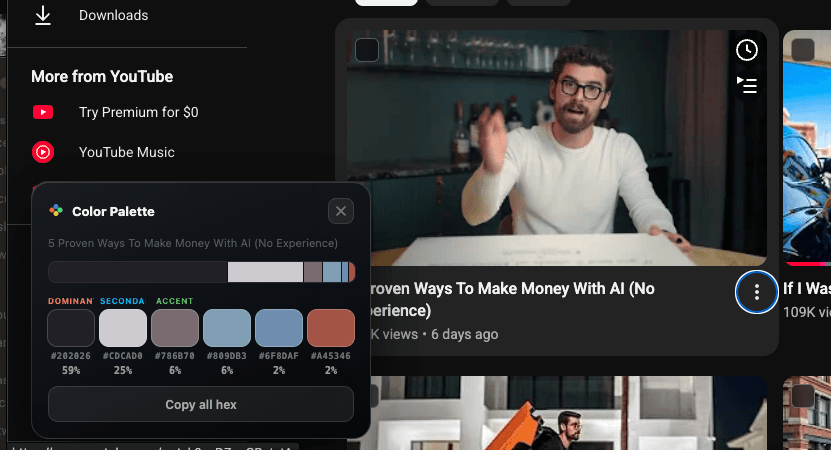
Click any swatch to copy its hex code — a checkmark confirms the copy. Click Copy all hex to copy every color as a JSON array at once. The panel dismisses itself after 20 seconds, or you can close it manually.
This is a free feature — no account or Pro subscription required.
Whole channel
On any channel page, click Extract colors in the channel's action bar (next to Subscribe and Share).
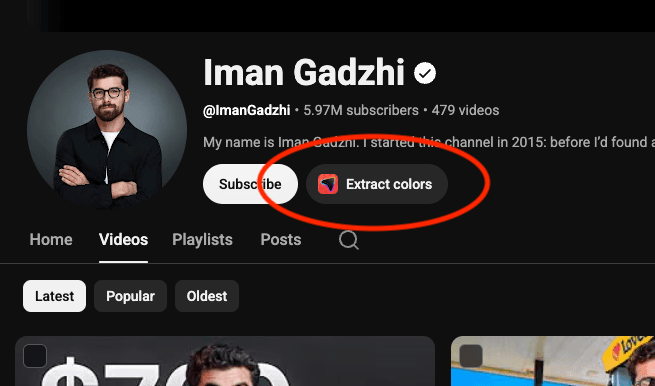
Thumbsy scans up to 24 of the channel's most recent videos and clusters their colors into a palette of up to 16 swatches, shown 8 at a time.
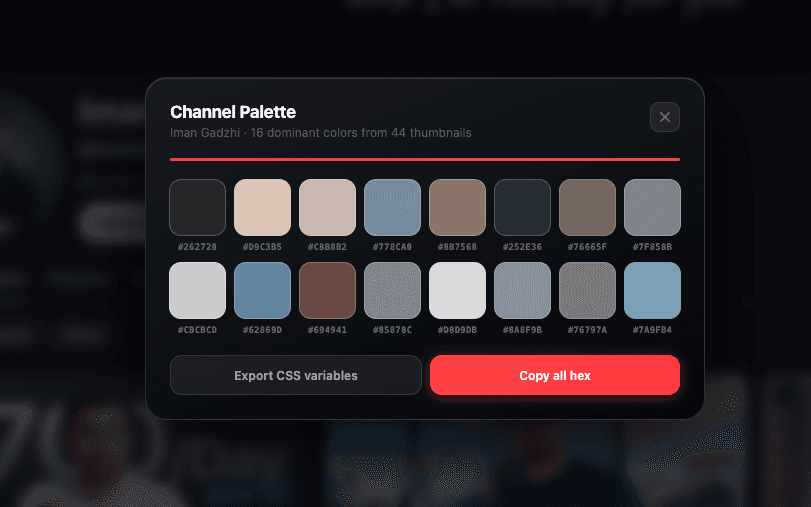
From the results modal you can:
- Click a swatch to copy its hex code
- Click Export CSS variables to copy a ready-to-paste
:root { --color-1: #...; }block - Click Copy all hex to copy every color as JSON
Useful for matching thumbnail design to a channel's existing visual identity before you design a new one.