
Bulk select & export
Grab many thumbnails at once and export them as a ZIP or grid image.
For grabbing more than one or two thumbnails at a time, use bulk select instead of the per-thumbnail context menu.
Selecting thumbnails
A small checkbox appears in the top-left corner of every thumbnail on the page. Click a checkbox to select that thumbnail — no need to open any menu first.

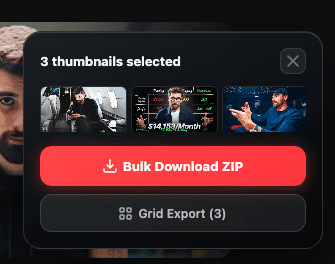
As soon as one thumbnail is selected, a floating widget slides in from the bottom-right showing:
- How many thumbnails are selected
- A preview strip of the first six (with a "+N more" indicator beyond that)
- A button to clear the selection
Exporting your selection
The widget offers two export paths:
Bulk Download ZIP
Renders every selected thumbnail as a styled showcase card (using your saved export defaults) and packages them into a single ZIP file. A progress indicator tracks rendering and zipping. No limit on how many you can select.
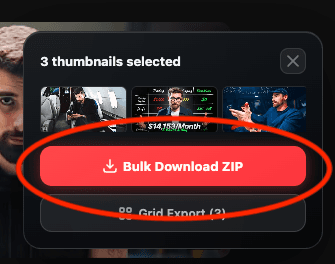
The downloaded file is named thumbnails-[timestamp].zip.
Grid Export
Combines up to 9 selected thumbnails into one image, the same editor used by the Studio overlay's grid export. This button is disabled if you've selected more than 9.
Choosing between the two
Use Grid Export when you want one shareable image of a handful of thumbnails side by side. Use Bulk Download ZIP when you want individual, fully-styled files for every thumbnail you selected.