
Webapp
Exporting thumbnails
Build a styled thumbnail card from the dashboard.
The export modal in the webapp is the same card builder as the extension's Studio overlay, available from the dashboard so you don't need to be on YouTube to use it.
Right-click any thumbnail in your library and choose Export to open it.
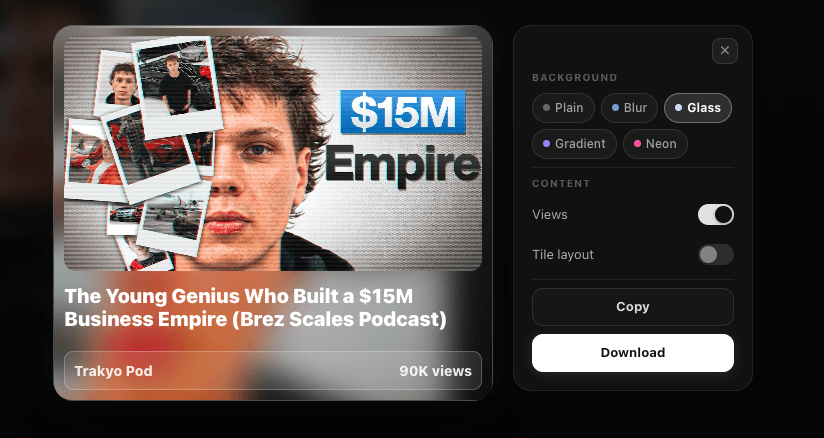
Styling options
- Background style — Plain, Blurred, Liquid Glass, Gradient, or Neon
- Colors — preset swatches for Plain, or pick gradient endpoint colors; Thumbsy can also auto-sample dominant colors from the thumbnail itself
- Duration badge — show or hide
- View count — show or hide
- Layout — Card (full) or Tile (horizontal)
The preview updates as you adjust settings, matching what you'll get in the final export.
Exporting
Once you're happy with the style, choose:
- Copy — copies the rendered card to your clipboard as a PNG, ready to paste
- Download — saves it as a PNG file
Defaults follow you everywhere
Style choices made here use the same saved defaults as the extension's popup settings — set them once on either side and they apply on both.