
Boards
Organize saved thumbnails into custom folders.
Boards are folders for grouping related thumbnails — by project, by client, by video series, however you work. There's no limit on how many you can create.
Creating a board
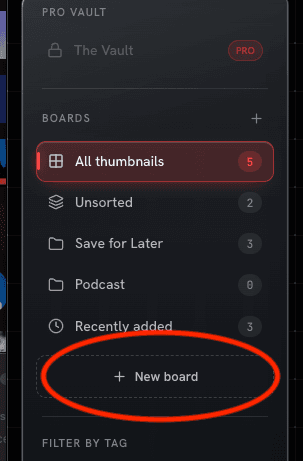
Click + New board in the dashboard sidebar, type a name, and press Enter (or click elsewhere to save).
Adding thumbnails to a board
Drag one thumbnail — or a multi-selected batch — from the library grid onto a board in the sidebar. The board highlights as a drop target while you drag. A thumbnail can belong to more than one board at once.

Drag a thumbnail onto Unsorted to remove it from all boards without deleting it.
First board you create
The first time you create a board, a one-time hint banner walks you through dragging a thumbnail onto it. You can dismiss it once you've got the idea.
Renaming and deleting
Right-click a board in the sidebar to rename it, or to delete it. Deleting asks what to do with the thumbnails inside:
- Unsort thumbnails — keeps them in your library, just removes them from this board
- Delete thumbnails too — removes them from your library entirely
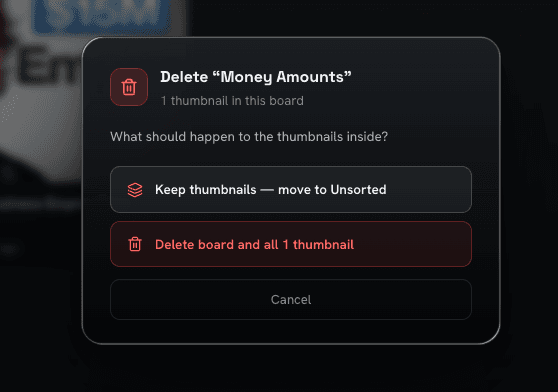
The confirmation modal shows exactly how many thumbnails will be affected before you confirm.