
Simulate
Preview your thumbnail and title inside a real YouTube feed.
Pro feature
Simulate is available to Pro accounts. Free accounts are redirected back to the dashboard if they try to open it.
Simulate drops your thumbnail and title into a realistic YouTube feed layout, alongside real competing videos, so you can judge how it actually reads in context — not just on its own.
Loading a thumbnail into Simulate
Click Simulate on any thumbnail in your library, a Vault item, or a thumbnail you've just uploaded. It loads into the first comparison slot.
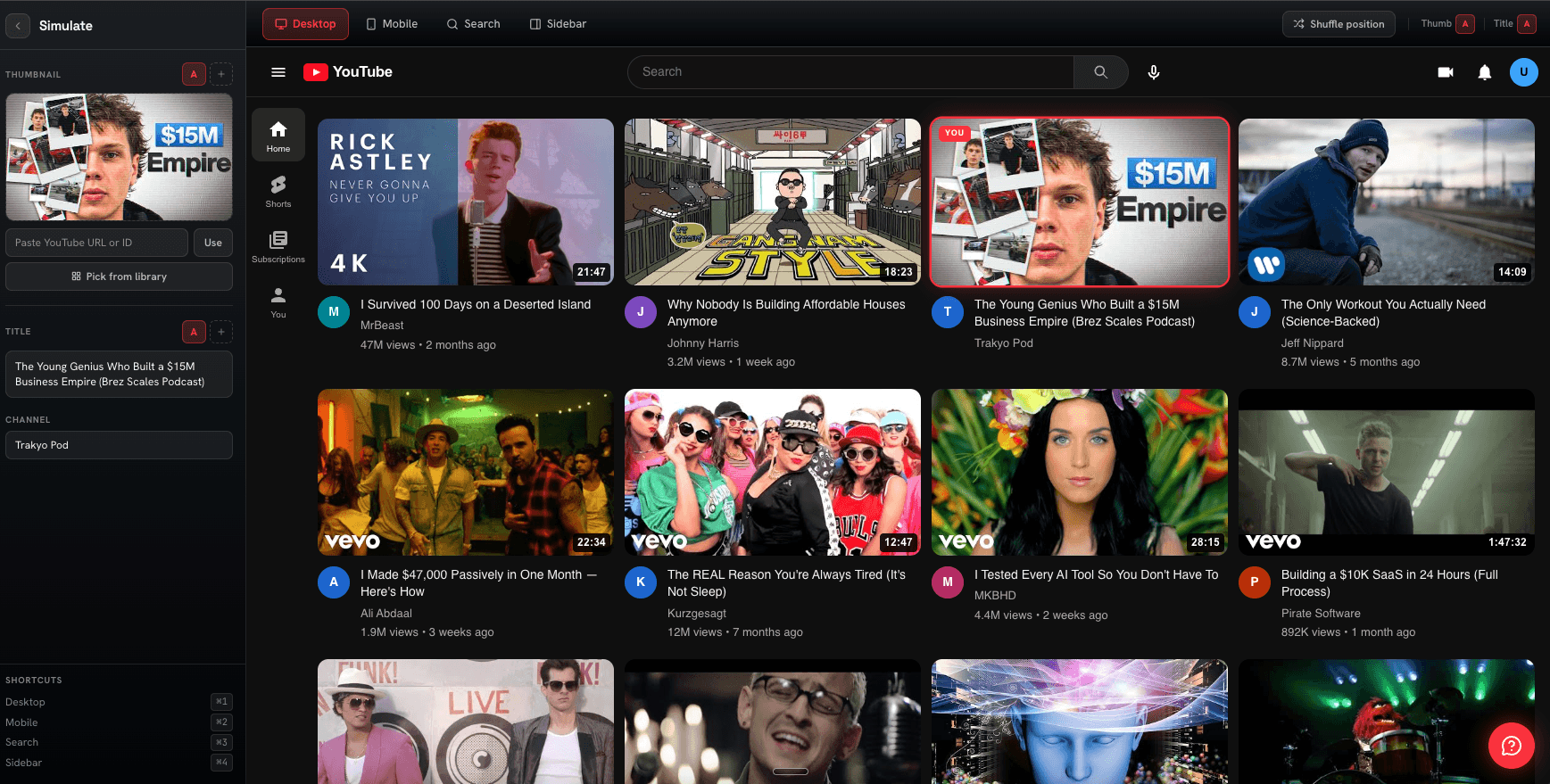
Comparing up to three versions
If the thumbnail has version history (from Collab Reviews), Simulate can load up to three of its most recent versions into Slots A, B, and C at once, so you can compare them side by side in the same feed context.
TODO: add video — Switching between three thumbnail/title variants in Slots A, B, and C
Testing titles
Each slot has its own editable title field — change it to test how different hooks read next to the same thumbnail, without needing a different image for every title variant.
TODO: add image — Editing the title text in one of the comparison slots