
Collab Reviews
Collect feedback on thumbnail versions via a shareable link — no account needed for reviewers.
Pro feature
Creating a Collab Review requires a Pro account. Reviewers opening a shared link do not need a Thumbsy account at all.
Collab Reviews let you share a single link that lets teammates or clients comment directly on a thumbnail's design — pinned to a specific version — without creating an account.
Creating a review
Click Collab on a thumbnail in your library to open its collab page.
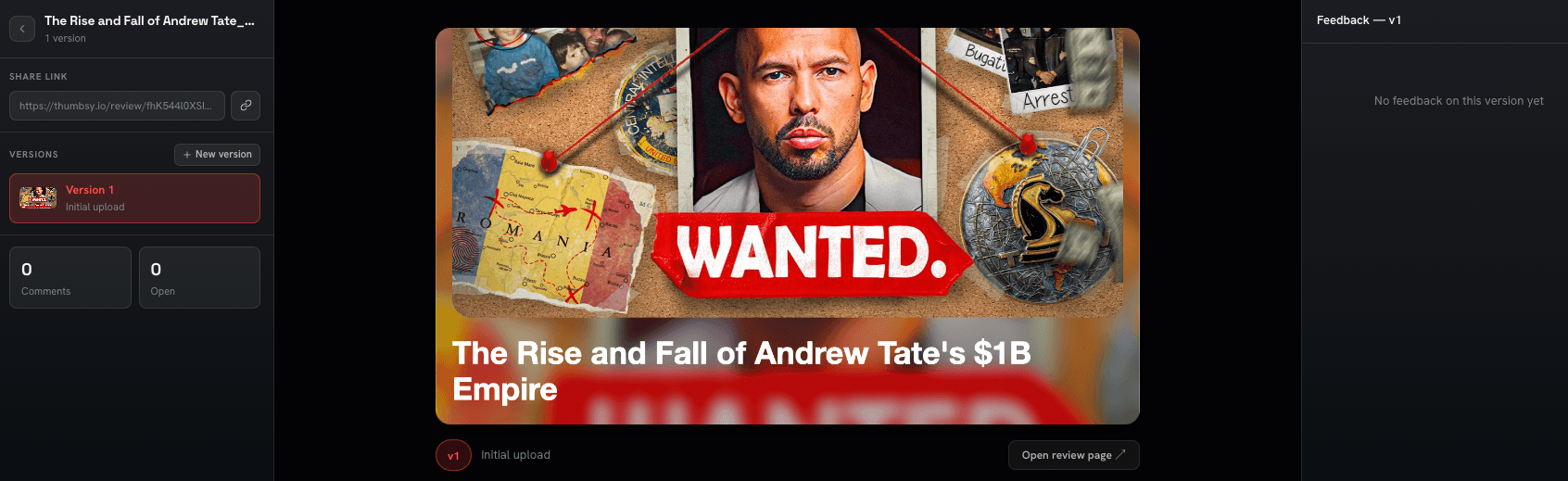
From here you can:
- Copy the share link to send to reviewers
- See every version of the thumbnail you've uploaded, in order
- Read comments left on each version
Version history
Every time you upload a new version of a thumbnail, it's added to this page's timeline. Click any version to filter comments down to just that one.
TODO: add image — Version history timeline with comments filtered to a selected version
What reviewers see
Anyone with the link opens it directly in their browser — no sign-up, no login. They see the thumbnail and its version history in a carousel, can click Add Comment to leave feedback pinned to whichever version they're looking at, and can see comments left by other reviewers in the same thread.
TODO: add image — Public review page as seen by a reviewer, with the Add Comment action
A name field is available but optional — reviewers can comment anonymously if they prefer.