
Getting Started
Install the extension
Add Thumbsy to Chrome and pin it to your toolbar.
Add Thumbsy from the Chrome Web Store

Click Add to Chrome, then confirm in the permissions dialog. Thumbsy only requests
access to youtube.com and its own backend — it doesn't need access to other sites.
Pin it to your toolbar
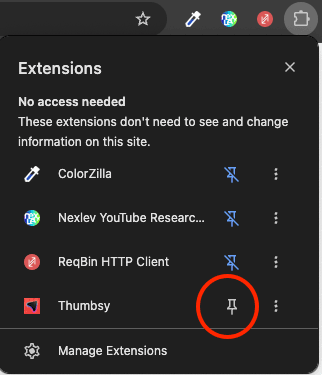
Click the puzzle-piece icon in Chrome's toolbar, find Thumbsy, and click the pin icon so it's always visible.
Open YouTube
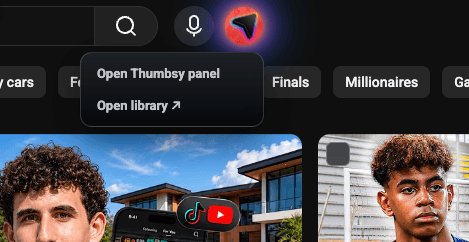
Thumbsy activates automatically — there's nothing to enable. Open any YouTube page and you should see the Thumbsy icon appear in YouTube's top bar, next to the voice search button.
Keyboard shortcut
You can open Thumbsy's Studio overlay at any time with Alt+S (⌘+Option+S on Mac), without touching the toolbar icon.
Next: sign in to start saving thumbnails to your account.